
Select an app
Choose the BizGate app whose WhatsApp settings and resources you want to manage.
Select an app
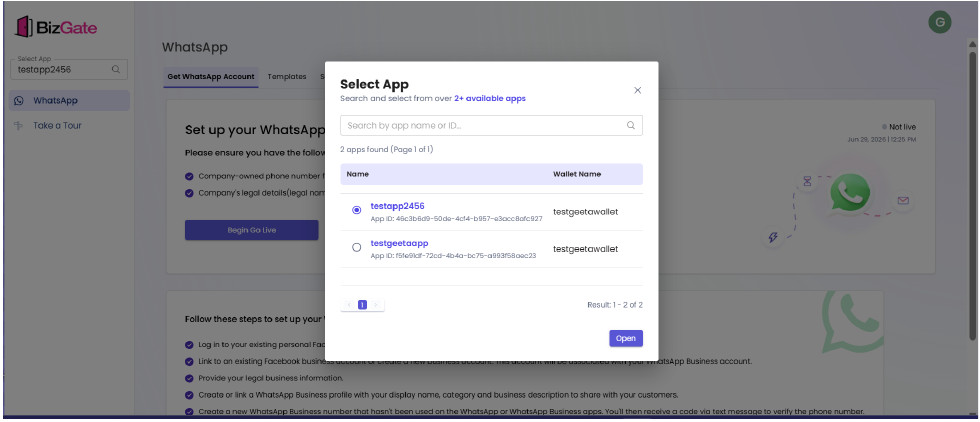
Select the correct app in the BizGate dashboard before changing templates, settings, or webhooks. Each app has its own WhatsApp configuration.
Steps
- Open BizGate dashboard
- Select the current app name in the app selector.
- Search for the app by name or app ID when needed.
- Select the app from the list.
- Choose Open.
Expected result
The selected app name appears in the app selector. Its WhatsApp setup, templates, settings, and webhooks are displayed, and any changes you make apply only to that app.
Troubleshooting
- If an app is not listed, confirm that you have access to it and that you are signed in to the correct BizGate account.
- If you cannot identify the app, use the app ID shown in Settings to confirm the selection.
Next steps
Updated about 1 month ago
Did this page help you?