
Configure template messaging settings
Review app details and control template messaging for the selected app.
Configure template messaging settings
Use Settings to confirm app details and choose whether template messaging is enabled for the selected app.
Before you begin
- Select the app whose settings you want to change.
- Confirm that you are authorized to change the app's messaging configuration.
Steps
- Open Settings.
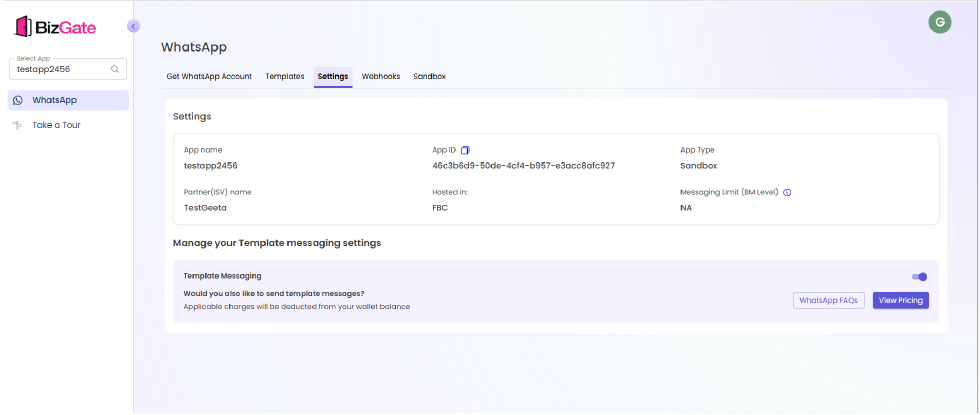
- Review the app name, app ID, app type, partner name, hosted-by value, and messaging limit.
- In Manage your Template messaging settings, locate Template Messaging.
- Turn the setting on to allow template messaging, or turn it off to stop it.
- Review the pricing information before enabling messaging.
- Select WhatsApp FAQs when you need additional WhatsApp policy or product guidance.
Expected result
The setting reflects your chosen messaging state for the selected app.
Troubleshooting
- If you cannot change the setting, verify that you have permission to manage the app.
- If you need to confirm pricing before enabling messaging, select View Pricing and check the applicable rate information.
Next steps
Updated about 1 month ago
Did this page help you?