
Recharge your wallet
Add credits to your prepaid wallet in the Bizgate Partner Portal.
Recharge your wallet
Add credits to your prepaid wallet to continue sending messages and using paid services.
Before you start
- Sign in to the Bizgate Partner Portal.
- Confirm that your billing details are correct.
- Have a supported payment method available. Available providers depend on your wallet currency and region.
Add credits
- Open Wallet in the Partner Portal.
- Select Add Credits.
- Enter the number of credits to add, or select a suggested amount.
- Review your billing details. Select Change Details if they need to be updated.
- Select a payment provider and complete the payment.
- Return to Wallet and confirm that your available balance has updated.
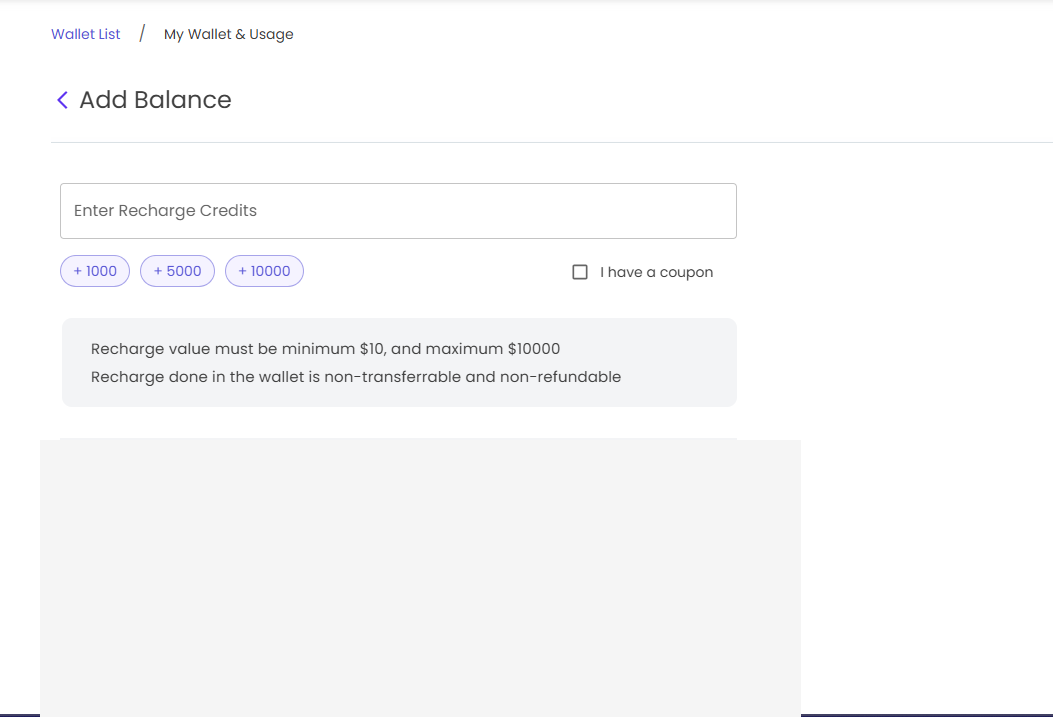
Recharge limits
For USD wallets, a recharge must be at least $10 and no more than $10,000 per transaction. Wallet recharges are non-transferable and non-refundable.
If your balance does not update
First, check your recharge history for the payment status. If the payment was successful but the balance has not updated, contact support
Next steps
Updated about 1 month ago
Did this page help you?