
BizGate dashboard
Learn where to find setup, templates, settings, and webhooks for a WhatsApp app.
BizGate dashboard
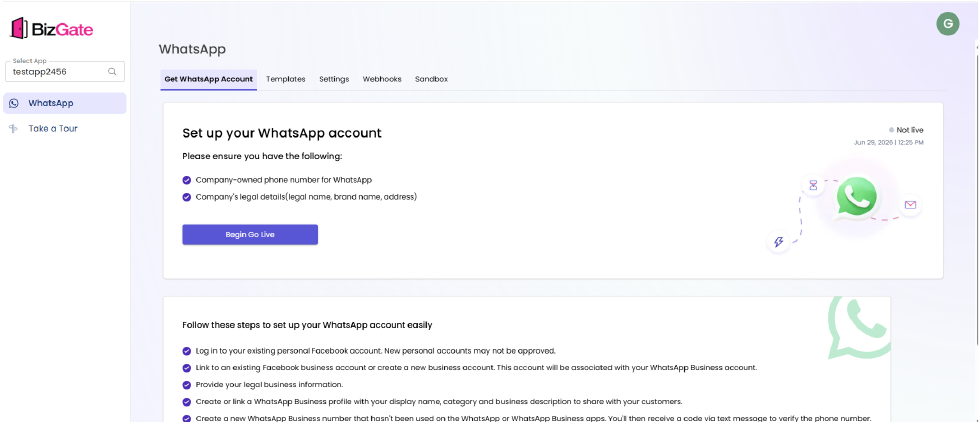
The BizGate dashboard brings together the tasks required to prepare an app for messaging: go-live setup, templates, settings, and webhooks.
Before you begin
- Sign in to BizGate with access to the app you want to manage.
- Have the business details and a phone number ready if the app has not yet been connected to WhatsApp.
Find your way around
- Use the app selector in the upper-left area to select the app you want to manage.
- Choose WhatsApp from the left navigation.
- Use Get WhatsApp Account to start or continue the go-live process.
- Use Templates to view or create message templates.
- Use Settings to review app information and template messaging preferences.
- Use Webhooks to send message and account events to your application.
Next steps
Updated about 1 month ago
Did this page help you?