
Manage joint solutions
Review solution information and add a joint solution in Partner Portal settings.
Manage joint solutions
The Solutions tab lists joint solutions associated with your partner account.
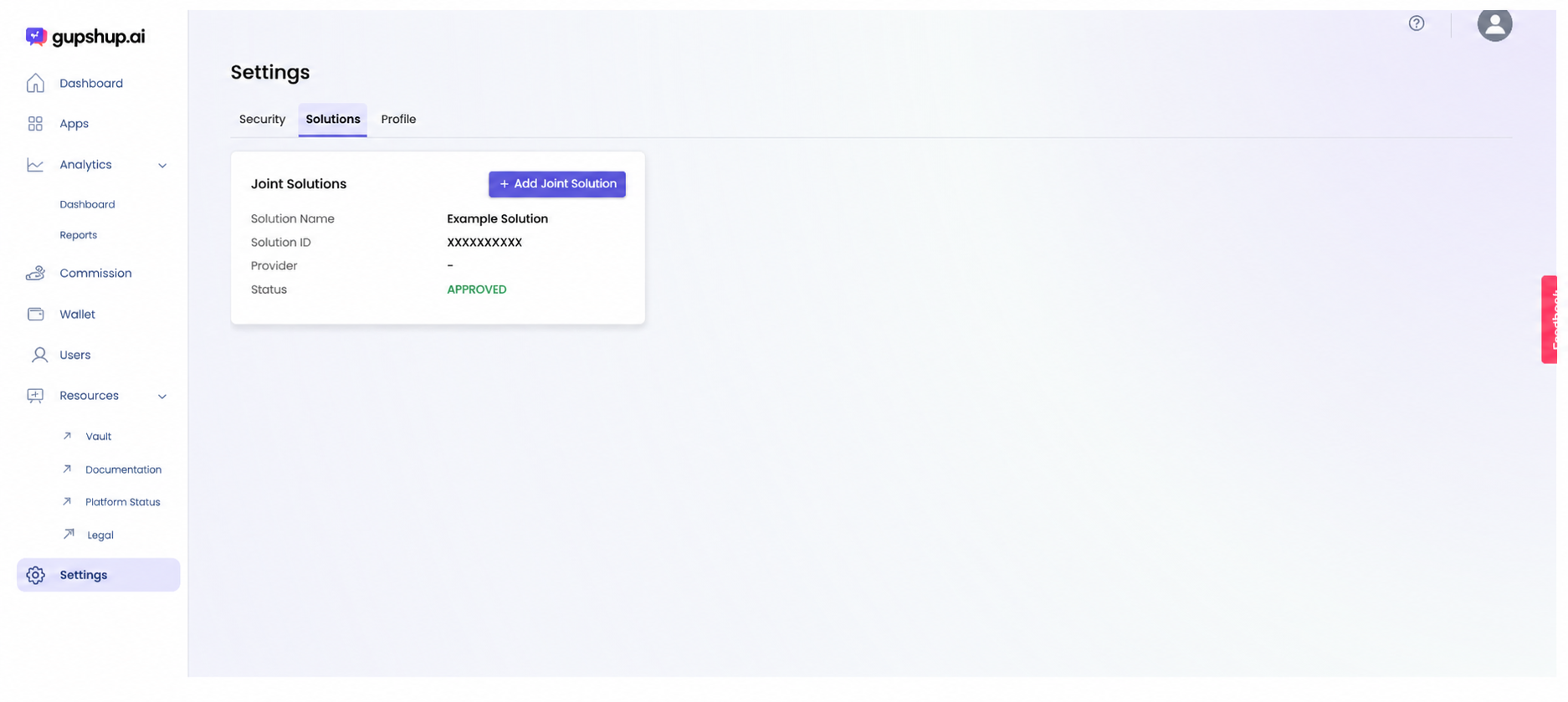
Open Solutions settings
- Select Settings in the left navigation.
- Select the Solutions tab.
Review a solution
Each solution card can show:
- Solution Name: the name used to identify the solution.
- Solution ID: the solution's unique identifier.
- Provider: the provider associated with the solution, when available.
- Status: the current solution status, such as APPROVED.
Add a joint solution
- Select Add Joint Solution.
- Enter the solutionID, Solution Name
- Submit the solution.
- Return to the Solutions tab and review its status
- Once Gupshup approves the joint solutionID, it will start showing up in the joint solutions page
Updated about 1 month ago
Did this page help you?